Ask a child to explain how to make a sandwich, and the instructions might sound simple:
“Take bread, add the filling, and make the sandwich.”
But what happens if someone follows those instructions without knowing where to start, how much filling to use, or what order to follow?
Suddenly, the task requires more precise instructions.
This everyday example introduces an important idea behind programming: computers need clear, logical steps to complete tasks.
And children can explore that concept without opening a laptop.
Coding without a computer introduces fundamental programming ideas through physical activities, puzzles and everyday challenges.
Often called unplugged coding, this approach helps children explore algorithms, sequences, conditions and loops before applying them in a programming environment.
For parents, it offers a practical way to introduce computer science concepts without making every learning activity screen-based.
What Is Coding Without a Computer?
Coding without a computer refers to activities that introduce programming and computational thinking concepts without requiring digital devices.
Instead of writing code in a programming language, children use physical objects, instructions, games or diagrams to explore how computational processes work.
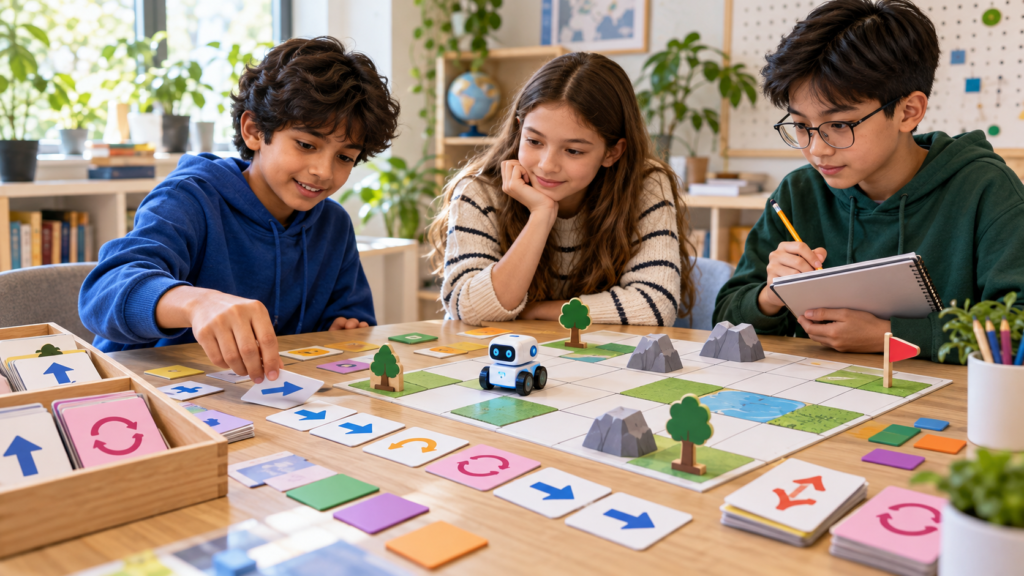
For example, a child might arrange cards representing instructions for moving a toy across a table.
Each card represents an action, such as moving forward, turning left or turning right.
The child must arrange the instructions in the correct order to reach a destination.
This introduces sequencing, one of the foundations of programming.
However, unplugged activities are not identical to writing executable code.
They provide conceptual preparation that can make certain programming ideas easier to understand when children eventually use a computer.
What Programming Concepts Can Kids Learn Offline?
Many fundamental computer science ideas can be demonstrated through ordinary activities.
1. Algorithms: Following a Clear Sequence
An algorithm is a series of instructions designed to complete a task.
Children encounter algorithms in everyday routines, including following recipes, organising school supplies and assembling objects.
An offline activity might involve writing instructions for drawing a simple house.
One person creates the instructions, while another follows them exactly.
If the directions are unclear, the drawing may turn out differently than expected.
This helps children recognise why precision matters when creating instructions.
2. Loops: Understanding Repetition
In programming, loops allow instructions to be repeated according to a specified condition or number of repetitions.
Children can explore loops through movement.
For example:
“Clap three times.”
Instead of writing the instruction three times, the child can represent it as a single action with a repetition count.
This introduces the idea that repeated processes can be expressed efficiently.
3. Conditions: Making Decisions
Conditional statements help programs select actions based on whether a particular condition is satisfied.
An offline example might involve sorting coloured objects.
“If the object is red, place it in the left box. Otherwise, place it in the right box.”
This resembles the basic structure of an if-else statement.
Children can explore how changing a condition changes the outcome.
Five Unplugged Coding Activities Parents Can Try at Home
The following activities require simple materials and can be adjusted to suit different ages.
Activity 1: Become a Human Robot
Choose one person to act as a robot and another to provide instructions.
The robot must complete a simple task, such as walking from one side of a room to another.
The instructions might include moving forward, turning and stopping.
The robot should follow the directions literally, without guessing the intended meaning.
If the instructions are incomplete, the child must revise them.
This activity introduces sequencing and the importance of precise commands.
Keep the movement area clear of obstacles and supervise younger children.
Activity 2: Create an Algorithm With Recipe Cards
Write the steps for preparing a simple snack on separate cards.
Ask your child to arrange them in the correct order.
Then deliberately change the sequence.
What happens if the instructions say to spread jam before opening the jar?
The child can identify the mistake and correct the order.
This demonstrates how the sequence of operations can affect an outcome.
Activity 3: Build a Paper Maze
Draw a maze on paper and mark a starting point and destination.
Create instruction cards such as:
- Move forward
- Turn left
- Turn right
- Repeat twice
Ask your child to arrange the cards into a sequence that guides a token through the maze.
Older children can experiment with creating shorter instruction sequences using repeated commands.
Activity 4: Play the Conditional Sorting Challenge
Gather objects with different colours, shapes or sizes.
Create a sorting rule based on one characteristic.
For example, round objects go into one group while all other objects go into another.
Then introduce multiple conditions.
“If the object is round and blue, place it in Group A.”
This helps children explore how combined conditions influence decisions.
Activity 5: Find the Error in a Set of Instructions
Give your child a sequence containing one deliberate mistake.
For example, provide directions to draw a square but include five turns instead of four.
Ask the child to identify where the instructions produce an unexpected result.
They can then revise the sequence and test it again.
This introduces debugging, the process of identifying and correcting errors.
How to Make Offline Coding Activities More Challenging
Once children understand basic sequences, they can begin exploring more complex instructions.
One useful progression is introducing variables.
A variable represents a value that a program can store or change.
For an offline activity, children can use a card labelled “score.”
Every time a player completes a challenge, the score increases.
They can explore how the value changes as different instructions are followed.
Older learners may also investigate simple functions.
A function is a reusable group of instructions designed to perform a particular task.
For example, a group of movement instructions could be labelled “turn around.”
Instead of rewriting each individual movement, the child can refer to that predefined sequence.
These activities help introduce abstraction, which involves organising complexity into manageable concepts.
How Does Unplugged Coding Connect With Real Programming?
A common parent question is whether offline coding activities genuinely prepare children for programming.
They can provide useful conceptual foundations, particularly when connected explicitly to actual programming ideas.
For example, a paper maze introduces sequencing.
A beginner programming activity might later require arranging instructions to move a digital character.
Similarly, a sorting exercise introduces conditions that can eventually be represented using if-else statements in Python.
However, offline activities alone do not teach every aspect of programming.
Children also need opportunities to work with software, understand syntax, run programs and observe how computers execute instructions.
Unplugged learning is therefore best understood as a complementary approach rather than a complete substitute for coding practice.
When Should Children Move From Offline Activities to Coding?
There is no universal point at which every child should stop using unplugged activities and begin programming.
The transition depends on interest, readiness and the learning environment.
Some children enjoy combining physical activities with beginner-friendly programming.
Others may prefer moving directly into visual coding environments.
Parents can look for signs that a child is ready to explore more.
Can they follow and create simple sequences?
Do they understand how conditions affect outcomes?
Are they interested in seeing their instructions produce results on a computer?
These observations can help guide the next stage.
Even children who already know programming can benefit from offline exercises when exploring unfamiliar concepts.
How CodingZen Builds on Foundational Coding Concepts
Understanding algorithms, loops and conditions provides a useful starting point for programming.
At CodingZen, coding education focuses on practical learning, age-appropriate instruction and project-based activities for children and teenagers aged approximately 5 to 18.
The platform introduces learners to areas including coding fundamentals, Python, game development, robotics and artificial intelligence.
As children progress from understanding instructions to writing programs, hands-on activities help connect abstract concepts with practical applications.
The objective is to develop familiarity with how programming works while encouraging children to create, test and improve their ideas.
For parents exploring structured learning opportunities, CodingZen provides an approach centred on learning technology through active participation rather than passive observation.
Conclusion: Coding Begins With Understanding Instructions
Coding without a computer offers children an accessible introduction to the logic behind programming.
Through activities involving recipes, mazes, sorting and movement, young learners can explore algorithms, loops, conditions and debugging without needing to understand programming syntax immediately.
These experiences do not replace computer-based coding education, but they can make foundational concepts more familiar.
For parents, the greatest advantage is the ability to connect computer science with situations children already understand.
A simple household activity can become an opportunity to practise logical instructions, recognise patterns and experiment with different solutions.
If your child is ready to move from offline activities to creating digital projects, explore CodingZen’s online coding programmes and discover how structured, hands-on learning can support their next steps in programming.
Frequently Asked Questions
1. Can kids really learn coding without a computer?
Children can learn important programming concepts without a computer, including algorithms, sequencing, loops and conditions. However, developing complete programming skills also requires experience writing and running code.
2. What are unplugged coding activities?
Unplugged coding activities are exercises that teach computer science concepts without digital devices. Examples include paper mazes, instruction games, conditional sorting and activities involving repeated actions.
3. What age is suitable for unplugged coding?
Simple sequencing and pattern activities can be introduced during early childhood, while older children can explore more complex ideas such as variables, functions and conditional logic. Activities should match the child’s understanding and interests.
4. Is unplugged coding better than learning on a computer?
Neither approach is universally better. Unplugged activities can help explain abstract concepts through physical experiences, while computer-based coding allows students to build and test actual programs. Combining both can be useful.
5. How can parents transition children from offline coding to programming?
Parents can connect familiar offline activities with equivalent programming concepts. For example, a paper maze can lead to a visual coding exercise, while conditional sorting can introduce if-else statements in a beginner programming language.